

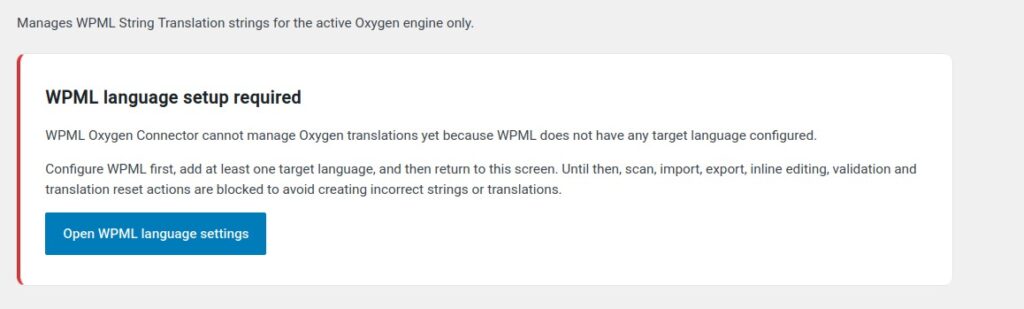
In this guide: Explanation of the block when there are no active target languages in WPML.
Contents
- Why this notice appears
- Which actions may be blocked
- How to fix it
- What keeps working
- Tip
Why this notice appears
WPML Oxygen Connector needs at least one target language to translate content. If WPML only has the original language configured, there is no language to send translations to.
In that case, the plugin may show a notice and block translation-related actions to avoid errors or inconsistent statuses.
Which actions may be blocked
- Scan content for translation.
- Export translations.
- Import translations.
- Edit translations inline.
- Validate translated pages.
- Regenerate workflows that depend on the target language.
How to fix it
- Go to the WPML settings.
- Add one or more target languages.
- Save the configuration.
- Return to Tools → WPML Oxygen Connector.
- Reload the panel and check that available languages now appear.
What keeps working
- The license section should remain accessible, because license activation does not depend on having target languages configured.
- You can also review the panel, but it does not make sense to start translation workflows until WPML has at least one target language.
Tip
Configure the target languages before scanning a complete website. This way, you will avoid having to repeat steps or interpret status messages that simply indicate missing basic WPML configuration.