

In this guide: Base prompt for translating JSON exported by WPML Oxygen Connector.
Contents
- Prompt objective
- Base prompt
- Prompt
- Add brand tone
- What to review afterwards
Prompt objective
When you use ChatGPT to translate an exported JSON file, the most important point is to ask it to translate only the appropriate values and preserve the entire structure.
If the AI changes keys, IDs, internal names, or formatting, the file may no longer import correctly.
Base prompt
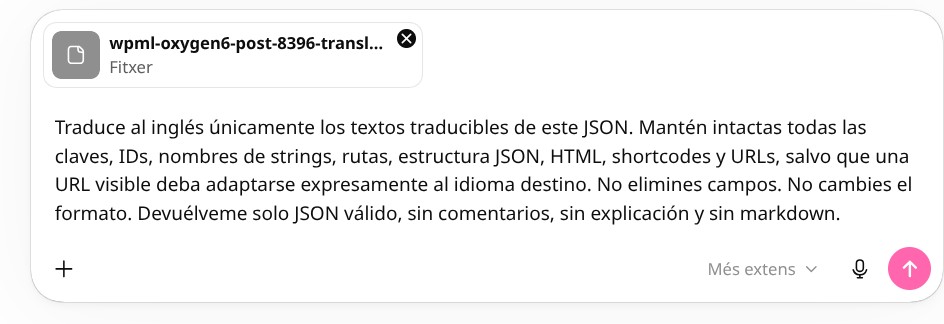
You can use this text as a starting point and adapt it to your case:
Prompt
Translate into [TARGET LANGUAGE] only the translatable texts in this JSON. Keep all keys, IDs, string names, paths, JSON structure, HTML, shortcodes, and URLs intact, unless a visible URL must expressly be adapted to the target language. Do not remove fields. Do not change the format. Return only valid JSON, with no comments, no explanation, and no markdown.
Add brand tone
If the website has a specific tone, add a clear instruction: for example, professional, friendly, technical, commercial, institutional, or formal tone.
You can also add a glossary of terms that should not be translated or that should always be translated the same way.
What to review afterwards
- JSON validity.
- Structure preservation.
- HTML and shortcodes.
- URLs.
- Brand terms.
- Calls to action.
- Texts that are too long and may affect the design.