

In this guide: What orphan strings are and how to resolve them.
Contents
- What orphan strings are
- Why it is useful to clean them
- How to resolve it
- When to contact support
What orphan strings are
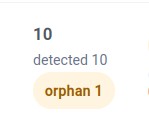
Orphan strings are texts that were registered for translation but no longer seem to exist in the current structure of the Oxygen page.
This may happen after deleting sections, changing elements, duplicating pages, importing layouts, or modifying original content.
Why it is useful to clean them
If old strings accumulate, the panel may show confusing information or make you translate texts that are no longer used.
Keeping the catalog updated makes it easier to know what really remains to be translated.
How to resolve it
Save the original page in Oxygen.
Scan the page again from the panel.
Check whether the notice disappears.
If inconsistencies still appear, use the available reset or cleanup tools carefully.
Validate the page after cleaning.
When to contact support
If a specific page continues showing orphan strings after scanning and reviewing, contact support. Attach a screenshot, plugin versions, and, if requested, a support data export.