

In this guide: What scanning an Oxygen page is, when to do it, and how to interpret its results.
Contents
- What scanning means
- When you should scan
- Manual scan and global scan
- What may change after scanning
- Best practices
What scanning means
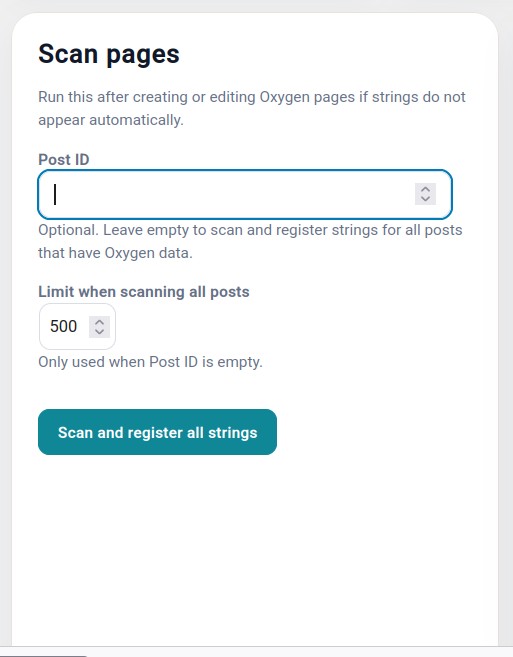
Scanning a page means asking the plugin to review the Oxygen structure and detect the texts that can be translated.
Scanning is not an automatic translation. It is the previous step that creates or updates the catalog of translatable strings.
When you should scan
- After creating a new page in Oxygen.
- After modifying texts on the original page.
- After adding buttons, accordions, forms, or other elements.
- Before exporting translations to JSON.
- After importing translations if you need to refresh the status.
- When a page appears as Needs scan.
Manual scan and global scan
Manual scan is used for a specific page, template, or block. It is the recommended method for precise work.
Global scan reviews all detected Oxygen content. It is useful in first setups, migrations, or when you want to update the general status of a website.
What may change after scanning
- A new list of translatable strings may appear.
- The source text may be updated if you changed it in Oxygen.
- Old strings that no longer exist on the page may disappear.
- The page translation status may change.
Best practices
- Always scan before exporting to JSON.
- Scan after important changes in Oxygen.
- Do not translate old strings without checking that they still exist.
- If a page has many changes, scan it again before reviewing translations.