

In this guide: Safe import of JSON translations with dry-run, validation, and backup.
Contents
- Importing is not pasting without review
- What dry-run is
- Recommended steps
- What to review in the result
- Tip
Importing is not pasting without review
JSON import allows you to bring back translations worked on outside WordPress. It is a very powerful workflow, but it must be done carefully.
That is why the recommended workflow is to use dry-run first, review warnings, and only then run the real import.
What dry-run is
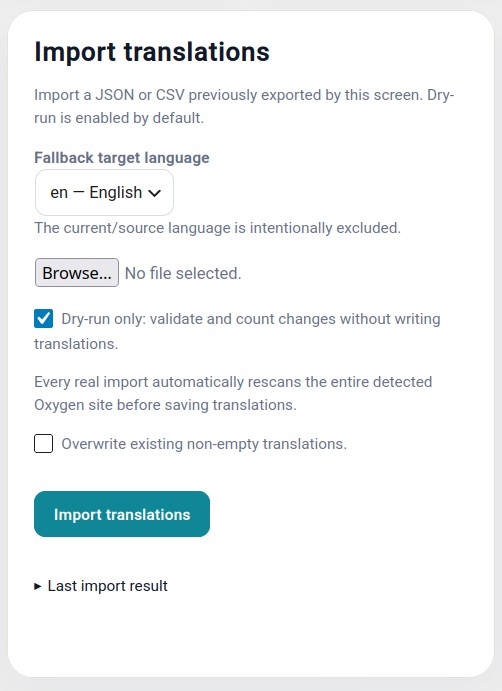
Dry-run is a simulation. The plugin analyzes the file, checks what it could import, and shows warnings, but it does not write definitive changes.
It is the safest way to detect errors before modifying real translations.
Recommended steps
- Scan the page before exporting.
- Export the JSON.
- Translate and review the file.
- Open Import translations.
- Select the JSON file.
- Keep dry-run enabled.
- Run the check.
- Correct any important warning.
- Run the real import when everything is correct.
- Review the frontend and validate the page.
What to review in the result
- Created or updated strings.
- Skipped strings.
- Texts identical to the original.
- Possible HTML errors.
- Modified URLs.
- Correct target language.
- Backup created before writing real changes.
Tip
Do not disable dry-run by habit. Use it every time you import content generated outside WordPress, especially if it has passed through AI tools, spreadsheets, or manual editing.