

In this guide: Using Support data export to send a problematic page to support.
Contents
- What Support data export is
- When to use it
- How to use it
- Important notice
What Support data export is
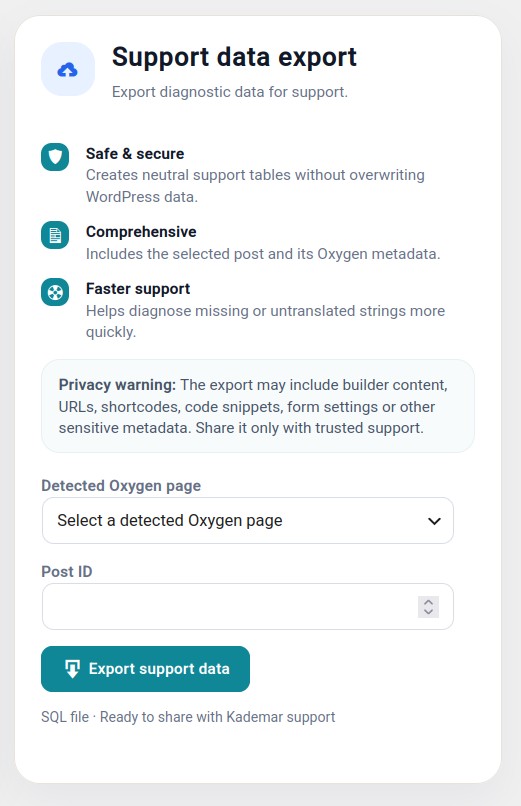
Support data export is a tool designed for cases where support needs to analyze a problematic page, template, or block without requesting full access to the website.
It generates a file with relevant data from that piece of content so the team can review what Oxygen contains.
When to use it
When support requests it.
When a specific page does not detect strings correctly.
When a translation does not appear even though it seems to be saved.
When an Oxygen element does not behave as expected.
How to use it
- Go to Tools → WPML Oxygen Connector.
- Find the Support data export section.
- Select the affected page, template, or block.
- Generate the file.
- Download it and send it only through the indicated support channel.
Important notice
The file may contain real content from the page: texts, URLs, shortcodes, forms, code fragments, or metadata.
Do not publish it in forums, public repositories, or open channels. Send it to support only when necessary.