

In this guide: Guide to exporting an Oxygen page to JSON for external translation.
Contents
- What export is for
- Before exporting
- Steps to export
- What the JSON contains
- Recommended use
What export is for
JSON export allows you to extract the translatable texts from an Oxygen page so you can work on them outside WordPress.
It is useful when you want to translate with an external tool, send the file to a translator, review texts as a team, or use an AI-assisted workflow.
Before exporting
Scan the page to make sure the catalog is up to date.
Choose the target language correctly.
Check that you are not selecting the source language as the target.
If the page has just changed in Oxygen, scan it again before exporting.
Steps to export
- Go to Tools → WPML Oxygen Connector.
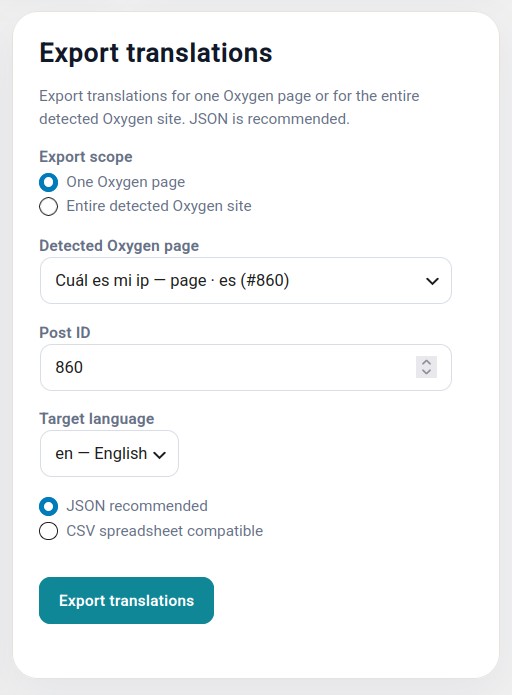
- Open the Export translations section.
- Select the page, template, or block.
- Select the target language.
- Choose JSON format.
- Download the generated file.
What the JSON contains
The file contains the information needed to identify each translatable string and its text.
You should not change keys, IDs, internal names, or the file structure. Only the values prepared for translation should be modified.
Recommended use
Save a copy of the original exported file. This way, you can compare changes or go back if the external translation modifies something it should not.